AuthentiCred Complete Automation
This document explains how to use the comprehensive automation script that handles the entire AuthentiCred setup and startup process.
What the Script Does
The start_authenticred.py script automates the complete AuthentiCred development environment setup:
Setup Process
- Dependency Check - Verifies all required tools are installed
- Ganache Startup - Starts local blockchain on port 8545
- Contract Deployment - Deploys all smart contracts automatically
- Environment Configuration - Updates
.envfile with contract addresses - Database Setup - Runs Django migrations
- Service Startup - Starts all required services:
- Redis (via Docker)
- Celery Worker
- Celery Beat Scheduler
- Django Development Server
Network Configuration
- Ganache:
http://127.0.0.1:8545(Localhost 8545) - Django:
http://127.0.0.1:8000 - Redis:
localhost:6379 - Metamask: Configure to connect to
Localhost 8545
Prerequisites
Before running the automation script, ensure you have the following installed:
Required Dependencies
# Node.js and npm
node --version
npm --version

# Ganache CLI
npm install -g ganache

# Python and pip
python --version
pip --version

# Docker
docker --version
Python Dependencies
# Install Python dependencies
pip install -r requirements.txt

# Or if using virtual environment
source .venv/bin/activate
pip install -r requirements.txt
Usage
Basic Usage (Complete Setup)
# Run the complete setup
python start_authenticred.py
Advanced Usage (Custom Options)
# Skip Ganache (if already running)
python start_authenticred.py --skip-ganache

# Skip contract deployment (if already deployed)
python start_authenticred.py --skip-deploy

# Skip server startup (setup only)
python start_authenticred.py --skip-servers

# Custom ports
python start_authenticred.py --ganache-port 8545 --django-port 8000

# Show help
python start_authenticred.py --help
Step-by-Step Setup
# 1. Setup only (no servers)
python start_authenticred.py --skip-servers

# 2. Start servers only (if already setup)
python start_authenticred.py --skip-ganache --skip-deploy
📊 What Gets Started
Blockchain Services
- Ganache: Local Ethereum blockchain
- Port: 8545
- Network ID: 5777
- Accounts: 10 (1000 ETH each)
- Deterministic: Yes (same addresses every time)
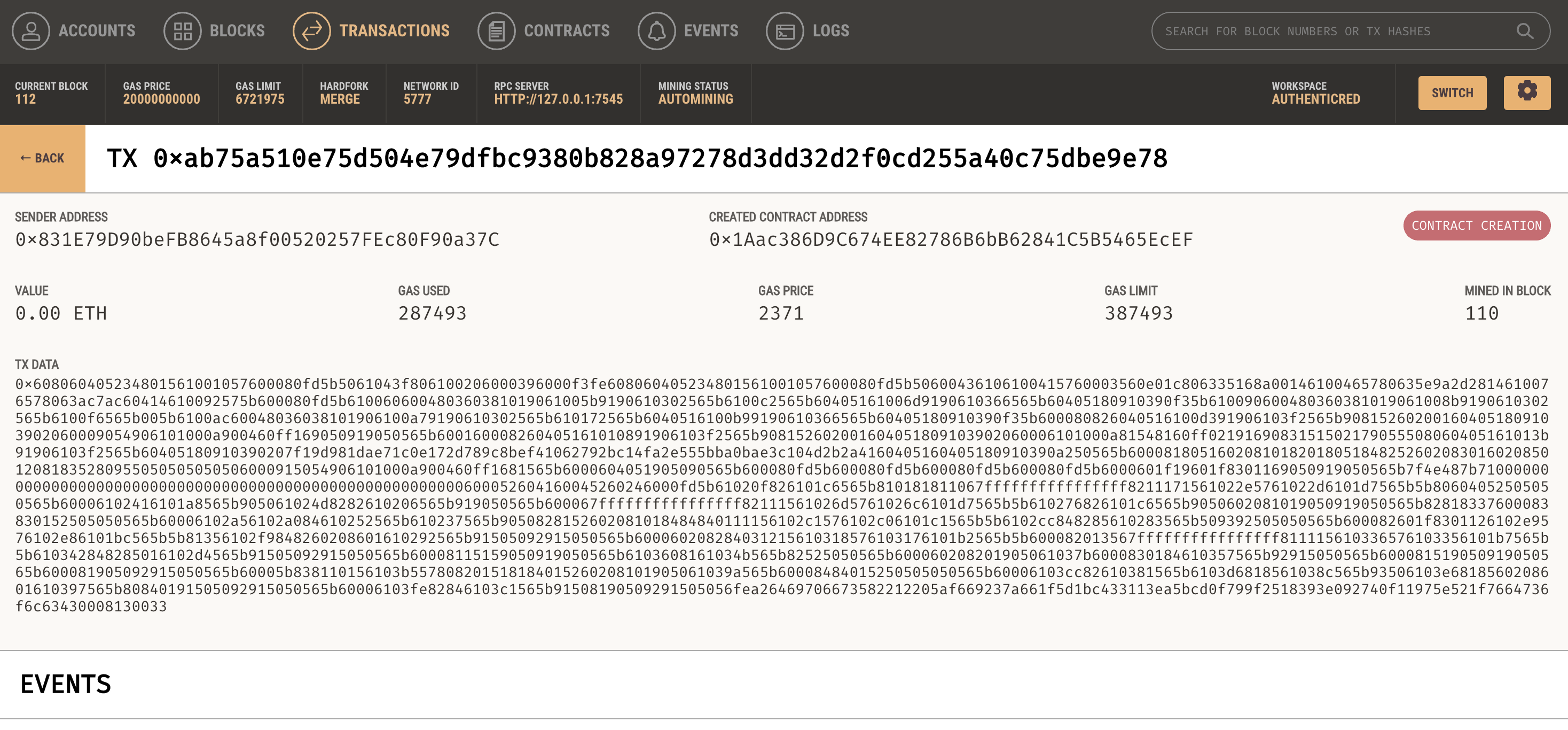 Local blockchain development environment with Ganache
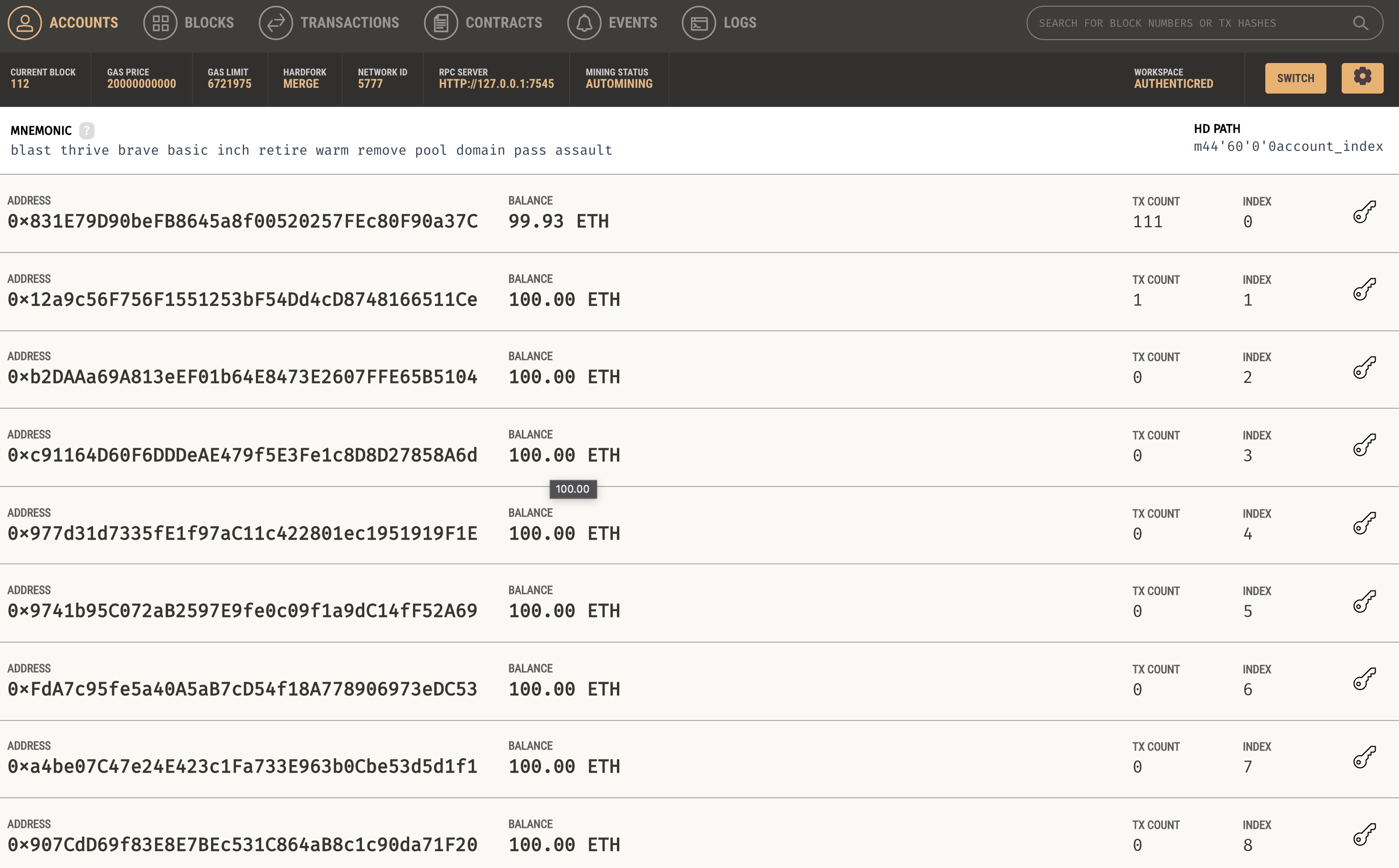 Pre-funded accounts for development and testing
Web Services
- Django: Main web application
- URL: http://127.0.0.1:8000
- Debug mode: Enabled
- Auto-reload: Enabled
🔴 Background Services
- Redis: Message broker for Celery
- Port: 6379
- Container:
authenticred-redis - Celery Worker: Background task processor
- Pool: Solo (single-threaded)
- Log level: Info
- Celery Beat: Task scheduler
- Log level: Info
Smart Contracts
The script deploys and configures these contracts: - DIDRegistry: Decentralized Identifier registry - TrustRegistry: Trust management for issuers - CredentialAnchor: Credential anchoring service - RevocationRegistry: Credential revocation service
Environment Configuration
The script automatically updates your .env file with:
# Contract Addresses (auto-generated)
DIDREGISTRY_ADDRESS=0x...
TRUSTREGISTRY_ADDRESS=0x...
CREDENTIALANCHOR_ADDRESS=0x...
REVOCATIONREGISTRY_ADDRESS=0x...

# Blockchain Configuration
BLOCKCHAIN_RPC_URL=http://127.0.0.1:8545
GANACHE_CHAIN_ID=5777
BLOCKCHAIN_NETWORK=ganache

# Django Settings
DEBUG=True
SECRET_KEY=your-secret-key-here-change-in-production
FIELD_ENCRYPTION_KEY=your-encryption-key-here-change-in-production
Metamask Configuration
To connect Metamask to your local Ganache:
- Open Metamask
- Add Network:
- Network Name:
AuthentiCred Local - RPC URL:
http://127.0.0.1:8545 - Chain ID:
5777 -
Currency Symbol:
ETH -
Import Account:
- Use one of the private keys from Ganache output
- Or use the mnemonic:
test test test test test test test test test test test junk
📱 Using the Application
Once everything is running:
- Open Browser: http://127.0.0.1:8000
- Create Account: Register as an institution or individual
- Connect Wallet: Use Metamask to connect your account
- Start Using: Issue and manage verifiable credentials
🛑 Stopping Services
Graceful Shutdown
# Press Ctrl+C in the terminal running the script
# All services will be stopped automatically
Manual Cleanup
# Stop Redis container
docker stop authenticred-redis
docker rm authenticred-redis

# Kill processes (if needed)
pkill -f "manage.py runserver"
pkill -f "celery worker"
pkill -f "celery beat"
pkill -f "ganache"
Troubleshooting
Common Issues
Ganache Won't Start
# Check if port is in use
lsof -i :8545

# Kill existing process
kill -9 <PID>

# Try different port
python start_authenticred.py --ganache-port 8546
Contracts Won't Deploy
# Check Ganache is running
curl -X POST -H "Content-Type: application/json" \
  --data '{"jsonrpc":"2.0","method":"eth_blockNumber","params":[],"id":1}' \
  http://127.0.0.1:8545

# Redeploy contracts
python manage.py deploy_contracts
Django Won't Start
# Check dependencies
pip install -r requirements.txt

# Run migrations manually
python manage.py migrate

# Check for port conflicts
lsof -i :8000
Celery Issues
# Check Redis is running
redis-cli ping

# Restart Celery
pkill -f "celery worker"
python -m celery -A AuthentiCred worker --loglevel=info --pool=solo
Logs and Debugging
# View Django logs
tail -f logs/django.log

# View Celery logs
tail -f logs/celery.log

# Check Ganache logs
# (logs are displayed in the script output)
Manual Commands (Reference)
If you prefer to run things manually, here are the equivalent commands:
Start Ganache
ganache --port 8545 --network-id 5777 --accounts 10 --default-balance-ether 1000 --deterministic --mnemonic "test test test test test test test test test test test junk"
Deploy Contracts
python manage.py deploy_contracts --skip-abi-update
Start Redis
docker run -d --name authenticred-redis -p 6379:6379 redis:alpine
Run Migrations
python manage.py migrate
Start Celery Worker
python -m celery -A AuthentiCred worker --loglevel=info --pool=solo
Start Celery Beat
python -m celery -A AuthentiCred beat --loglevel=info
Start Django
python manage.py runserver 127.0.0.1:8000
Quick Start Guide
-
Install Dependencies:
npm install -g ganache pip install -r requirements.txt -
Run Automation:
python start_authenticred.py -
Open Application:
- Browser: http://127.0.0.1:8000
-
Metamask: Connect to
http://127.0.0.1:8545 -
Start Using:
- Create account
- Connect wallet
- Issue credentials
That's it! The automation script handles everything else automatically.